

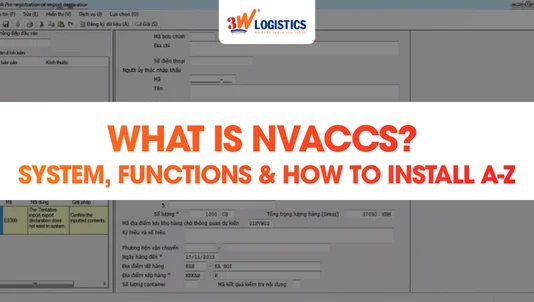
What Is VNACCS? System, Functions & How to Install A-Z
VNACCS is the automated cargo clearance system operated by Vietnam Customs, allowing businesses to declare goods, pay taxes, and receive clearance results entirely online. It has been mandatory for all import-export businesses in Vietnam since 2014.
This article explains the structure, functions, and login parameters of VNACCS, along with a step-by-step guide to installing the VNACCS declaration software from A to Z for businesses setting it up for the first time.
1. What Is VNACCS?
VNACCS (Vietnam Automated Cargo And Port Consolidated System) is Vietnam Customs’ automated cargo clearance system, built on Japan’s customs management model and officially rolled out nationwide in 2014.
The system allows import-export businesses to submit electronic customs declarations, pay taxes online, and receive clearance channel results within seconds, fully replacing the paper-based declaration process used previously.
Real-world example: An electronics component importer in Ho Chi Minh City submits a declaration through VNACCS at 8 a.m. and receives a green-channel clearance result in just 3 seconds, allowing pickup at the port the same morning.
2. System Structure: VNACCS, VCIS, and NSW
VNACCS does not operate in isolation. It is part of a broader electronic customs ecosystem that includes VCIS for internal risk management and NSW, which connects customs with related government ministries.
2.1 VCIS – Customs Intelligence Information System
VCIS (Vietnam Customs Intelligence Information System) is the customs intelligence system used internally for risk management and operational oversight. Unlike VNACCS, VCIS does not connect directly with businesses; it serves customs authorities only.
2.2 NSW – National Single Window
NSW (National Single Window) is an integrated portal that links the customs clearance system with licensing systems from the Ministry of Industry and Trade, the Ministry of Transport, and other government agencies. Businesses only need to submit information once through NSW instead of filing separately with each agency.
Learn more: 3W Logistics’ full-service customs clearance solutions
3. VNACCS Functions for Businesses and Customs Authorities
VNACCS provides a set of electronic declaration tools for businesses and a set of management and monitoring tools for customs authorities, and is provided free of charge to all import-export businesses.
| Import-Export Businesses | Customs Authorities |
|---|---|
| Electronic customs declaration (e-Declaration) | Automated channel classification (green/yellow/red) |
| Electronic cargo manifest (e-Manifest) | Business risk profile management |
| Electronic tax and fee payment (e-Payment) | Clearance monitoring and control |
| Electronic invoicing (e-Invoice) | Clearance and release of goods |
VNACCS also strengthens inter-agency connectivity through the Single Window mechanism: when a business needs a specialized license, customs automatically forwards the request to the relevant ministry and receives the processing result directly through the system.
4. Advantages and Disadvantages of Using VNACCS
VNACCS significantly shortens clearance time thanks to automated channel classification, but it requires businesses to accurately declare a large number of technical criteria from the very first submission.
- Reduced paperwork: Documents are transmitted directly through the software, minimizing the need to submit physical copies to customs.
- Faster clearance: Green-channel results are returned in under 3 seconds; when over 60% of declarations fall into the green channel, businesses see a marked reduction in average processing time compared to manual clearance.
- No distinction between commercial and non-commercial shipments: Both shipment types follow the same clearance procedure on the system.
- Drawback: The large number of complex declaration criteria means inexperienced businesses can easily misdeclare HS codes, customs value, or shipment type codes, resulting in yellow- or red-channel classification.
5. The 4 Required Parameters to Log Into VNACCS
To log in and declare on VNACCS, businesses must have all 4 required parameters: User ID, Password, Terminal ID, and Terminal Access Key. Missing any one of these will prevent the declaration software from connecting to the system.
| Parameter | Meaning |
|---|---|
| User ID | Unique identifier for the declaration account, issued by Vietnam Customs upon registration |
| Password | Account password set and kept confidential by the business |
| Terminal ID | Identifier for the declaring device, issued by the software provider |
| Terminal Access Key | Authentication key granting the device access to the VNACCS system |
Businesses can look up their Terminal ID and Terminal Access Key under “Registration Lookup” on the portal dknsd.customs.gov.vn after successfully registering an account.
6. Step-by-Step Guide to Installing VNACCS Software From A to Z
Installing “VNACCS” in practice means installing the declaration software that connects to the system (most commonly ECUS5VNACCS). The process has 5 stages: preparing documents and a digital signature, installing the database management system, installing the declaration software, registering to obtain the 4 login parameters, and configuring the first login.
6.1 Preparation Before Installation
Before installation, businesses need to prepare the necessary technical and legal conditions to avoid interruptions during setup.
- Purchase a digital signature (token) registered for electronic customs declaration — each digital signature corresponds to one VNACCS account.
- Prepare the foreign trade contract, commercial invoice, bill of lading, and packing list for cross-checking during test declarations.
- Verify that the computer meets the minimum requirements to run the SQL Server database management system.
- Install the driver for the digital signature token and plug the token into the computer that will be used for declarations.
6.2 Download and Install the Database Management System
Visit the software provider’s official website to download the installer suited to your operating system. The installer typically displays 3 items to be completed in sequence.
- Run “Install SQL Server” (for Windows 10 and above) or “Install MSDE” (for Windows 7/8) to set up the database management system that stores declarations.
- Wait for the installation to complete — this step usually takes the longest, depending on your computer’s specifications.
- Create a new database, keeping the default storage path or changing it to another drive if your computer has no D: drive.
6.3 Install the Declaration Software Client
Once the database is ready, proceed to install the main declaration software (item 3 in the installer) and enter your business information for the first time.
- Select “Install ECUS5-VNACCS Client” and follow the setup instructions until you see the completion notice.
- Restart the computer to finalize the installation.
- Open the software from the desktop shortcut and enter your company’s full details (name, tax code, address) when prompted.
6.4 Register an Account and Obtain the 4 VNACCS Parameters
Alongside software installation, businesses need to register an account on the VNACCS system to obtain the 4 login parameters listed in Section 5.
- Go to dknsd.customs.gov.vn and register an account using your company information and the digital signature prepared earlier.
- Once registered, go to “Registration Lookup” to retrieve your User ID, Terminal ID, and Terminal Access Key.
- Set a new password for your User ID under “Registration > Issue New Password for User.”
- Wait approximately 24 hours for the system to synchronize the information before use.
6.5 Configure and Log In for the First Time
The final step is entering the 4 parameters into the declaration software and testing the connection to VNACCS before submitting official declarations.
- Open the declaration software, go to the connection configuration section, and enter the User ID, Password, Terminal ID, and Terminal Access Key you obtained.
- Link the digital signature to the software so it is ready to electronically sign declarations upon submission.
- Submit a draft declaration as a test to confirm the connection is working before declaring an actual shipment.
Note: If your business has never declared customs electronically before, it’s advisable to get help from an experienced provider when configuring the 4 parameters — a single incorrect character in the Terminal Access Key will prevent the software from connecting to VNACCS.
7. The Declaration Process on VNACCS After Installation
Once installation and configuration are complete, businesses prepare a declaration based on the documents gathered, submit it to the system, and receive a clearance channel result that determines the next steps.
| Channel | Processing Requirement |
|---|---|
| Green channel | Exempt from document and physical inspection; pay taxes and clear immediately |
| Yellow channel | Document inspection required; additional paperwork may be requested |
| Red channel | Physical inspection of goods at the port or via scanning equipment |
According to the Vietnam Government Portal, information exchange between customs and related ministries under the National Single Window mechanism follows Joint Circular 84/2013/TTLT-BTC-BCT-BGTVT.
8. Frequently Asked Questions About VNACCS
What does VNACCS stand for?
VNACCS stands for Vietnam Automated Cargo And Port Consolidated System — Vietnam’s automated cargo clearance system, operated by Vietnam Customs since 2014.
What’s the difference between VNACCS and VCIS?
VNACCS handles declarations and clearance for businesses, while VCIS is used internally by customs authorities for risk management — businesses do not interact with VCIS directly.
Is there a fee to install VNACCS software?
VNACCS itself is provided free of charge by Vietnam Customs, but the intermediary declaration software (such as ECUS5VNACCS) developed by private vendors typically charges an annual or package-based fee.
Can I declare on VNACCS without the 4 required parameters?
No. Missing any of the 4 parameters — User ID, Password, Terminal ID, or Terminal Access Key — will prevent the declaration software from authenticating and connecting to VNACCS.
How long does it take a new business to fully set up VNACCS?
It typically takes 2–3 business days, including time to purchase a digital signature, register an account, install the software, and wait for the system to synchronize (about 24 hours after issuing a new password).
9. Conclusion
- Identify VNACCS as the mandatory clearance system, distinct from VCIS (internal customs use) and NSW (inter-agency connectivity).
- Prepare a digital signature and complete import-export documentation before starting software installation.
- Complete the 5 installation steps in order: database system, declaration software, account registration, obtaining the 4 parameters, and login configuration.
- Verify the connection with a test declaration before submitting a real shipment, to avoid Terminal Access Key errors.
This article was compiled based on Vietnam Customs’ regulations on the VNACCS/VCIS system and Joint Circular 84/2013/TTLT-BTC-BCT-BGTVT on the National Single Window mechanism.
3W Logistics – Supporting Businesses With Electronic Customs Declaration
Self-managing VNACCS installation and operation carries the risk of misdeclared HS codes, incorrect shipment type codes, or a misconfigured Terminal Access Key — leading to clearance delays and added storage costs. 3W Logistics is an international freight forwarder with years of experience handling electronic customs declarations on VNACCS for import-export shipments.
- Experienced declaration specialists: Our team directly processes thousands of VNACCS declarations each year across a wide range of goods, from consumer products to industrial equipment.
- Global shipping network and NVOCC capability: We combine customs declaration with ocean and air freight routes between Vietnam and key markets such as the U.S. and Canada.
- Reduced DEM/DET costs: Accurate documentation from the start helps avoid unnecessary red-channel classification and shortens container dwell time at port.
If your business needs support with electronic customs declaration on VNACCS, contact 3W Logistics today for a complete consulting solution.
CONTACT INFORMATION:
Head Office – 3W Logistics Ho Chi Minh City Branch
Address: 34 Bach Dang, Tan Son Hoa Ward, Ho Chi Minh City
Hotline: +84 28 3535 0087
3W Logistics Hanoi Branch
Address: 81A Tran Quoc Toan, Cua Nam Ward, Hanoi
Hotline: +84 24 3202 0482
3W Logistics Hai Phong Branch
Address: 8A Lot 28 Le Hong Phong, Gia Vien Ward, Hai Phong
Hotline: +84 225 355 5939
3W LOGISTICS CO., LTD – We here serve you there!
Email: quote@3w-logistics.com
Website: www.3w-logistics.com

Hello, I’m Nguyen Phuong Nhan (Ms. Nina)
I currently serve as Trade Lanes Supervisor at 3W Logistics, with more than 10 years of experience in international logistics and freight forwarding.
My primary responsibility is developing and managing global logistics partnerships, building strategic trade lanes, and working closely with overseas agents to provide reliable and competitive transportation solutions for customers.
I regularly collaborate with agents and logistics partners worldwide to explore new business opportunities, negotiate freight rates, develop trade routes, and support import-export shipments. I also work closely with our sales team to design logistics solutions tailored to specific markets and customer requirements.
My expertise includes Ocean Freight, Air Freight, Trade Lane Development, Global Agent Network Management, International Logistics Solutions, and Import-Export Support.
Through the articles I share on the 3W Logistics website, I aim to provide practical insights into the international logistics industry, global transportation trends, overseas agent cooperation, and effective logistics strategies that help businesses optimize their supply chain operations.
I believe that strong global partnerships and well-developed trade lanes are essential to delivering sustainable logistics solutions and long-term value to customers worldwide.


